
Communication & Collaboration
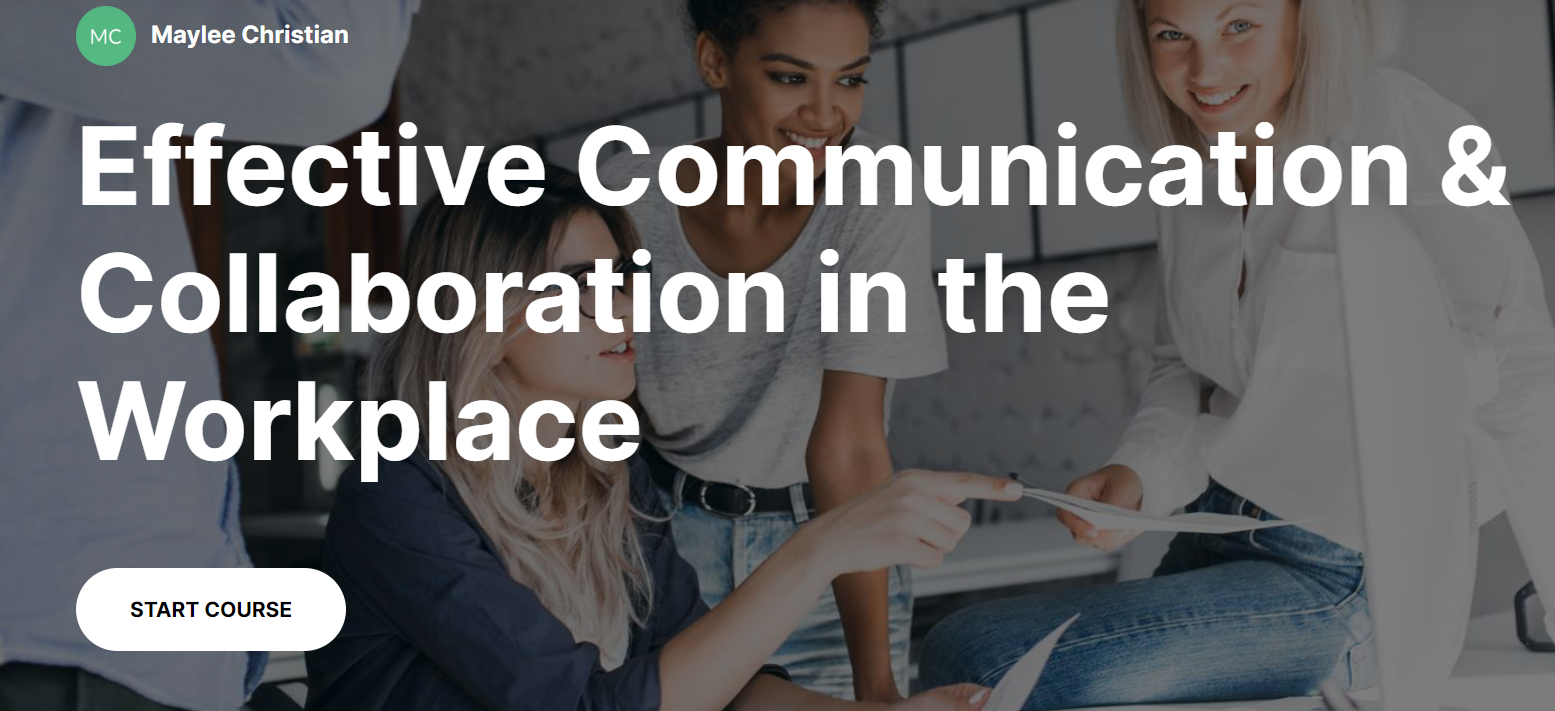
An example eLearning experience designed to simulate workplace communication and collaboration training, showcasing my ability to develop learner‑focused instructional content and engagement strategies.
Target Audience: Learners needing foundational skills in team communication and collaboration.
Contributions
• Conducted needs analysis and performance gap assessment
• Applied learner‑centered design methodologies (ADDIE/action mapping)
• Crafted instructional materials, visual design, and interactive elements
• Developed assessment strategies and engagement checkpoints
Tools Used: Microsoft OneNote, MindMeister, Figma, Articulate Rise 360
Learning Goal: Equip learners with communication and collaboration competencies that support team productivity and stakeholder engagement.
Assessment Strategy: Embedded knowledge checks and scenario‑based tasks to measure comprehension and application.
The Problem
In this scenario, the challenge was to design training to strengthen communication and collaboration skills among team members — a key factor in workplace efficiency and provider/stakeholder interactions.
In order for the company to run smoothly and effectively provide product to their customers, it is imperative that they work as a team and understand how to communicate with one another on a daily basis.
The Solution
Following analysis, I designed a blended learning solution — combining an interactive eLearning module with recommendations for live workshops and periodic discussions — to reinforce key communication strategies. The solution emphasized active listening, concise messaging, conflict resolution, and cultural awareness.
This eLearning solution allows employees to learn and practice key communication principles including the importance of active listening, clear and concise language, conflict resolution and cultural sensitivity.
My Process
I followed a structured instructional design process (ADDIE) to ensure alignment between learning goals and content delivery. This included:
• Analysis & Action Mapping — defined learner needs using realistic workplace scenarios
• Design & Visual Mockups — created organized outlines and engaging visuals
• Development & Interactivity — built an interactive course with knowledge checks and assessment
• Evaluation & Iteration — solicited feedback and refined the learning experience
Action Map
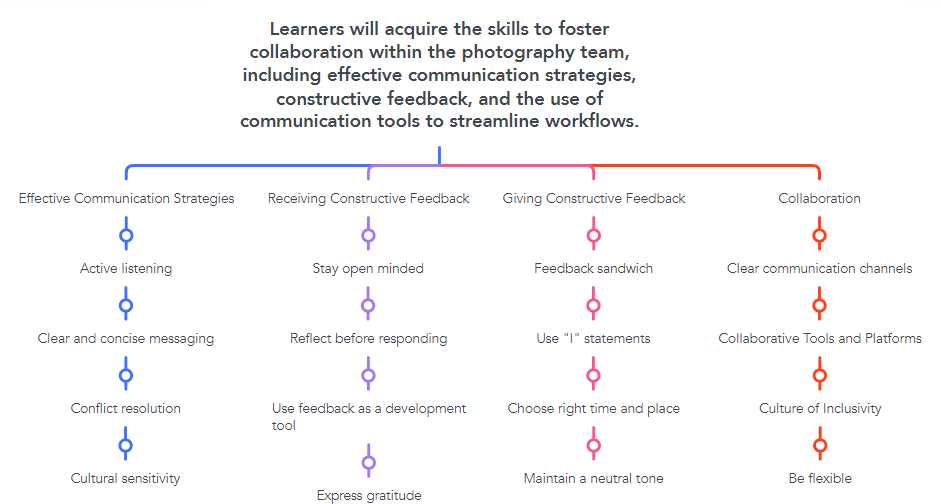
For this concept project, I had an SME from a photography company to draw information from. Their knowledge and experience was extremely useful in designing the concept of the eLearning module. I used this information to cater my learning modules and lessons to a photography type business. This action map includes items that are necessary for ensuring the learning solution provides participants with best communication practices that are oriented around a measurable goal of increased productivity within the team.
Visual Mockups
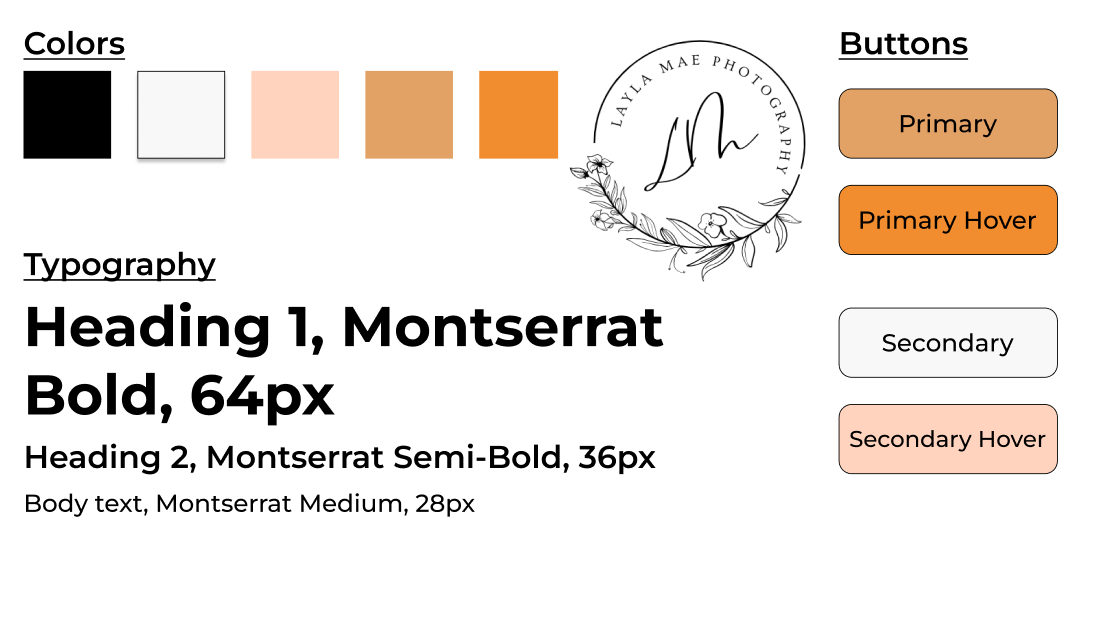
When I was confident that my action map laid out an organized outline for an engaging, learner-centered experience, I moved on to the visual design steps of my process. I sought to bring the lessons to life with engaging visuals aligning nicely with the clients logo, color schemes and
Full Development
Finally, when I felt confident in all of my steps, I got to work building the entire eLearning course, complete with 4 sections, lessons, interactive knowledge checks, statistics, and a end of course quiz. I worked on these lessons until everything flowed perfectly together. Lastly, I asked for feedback from multiple sources and made minor changes to enhance the overall learning experience even further.